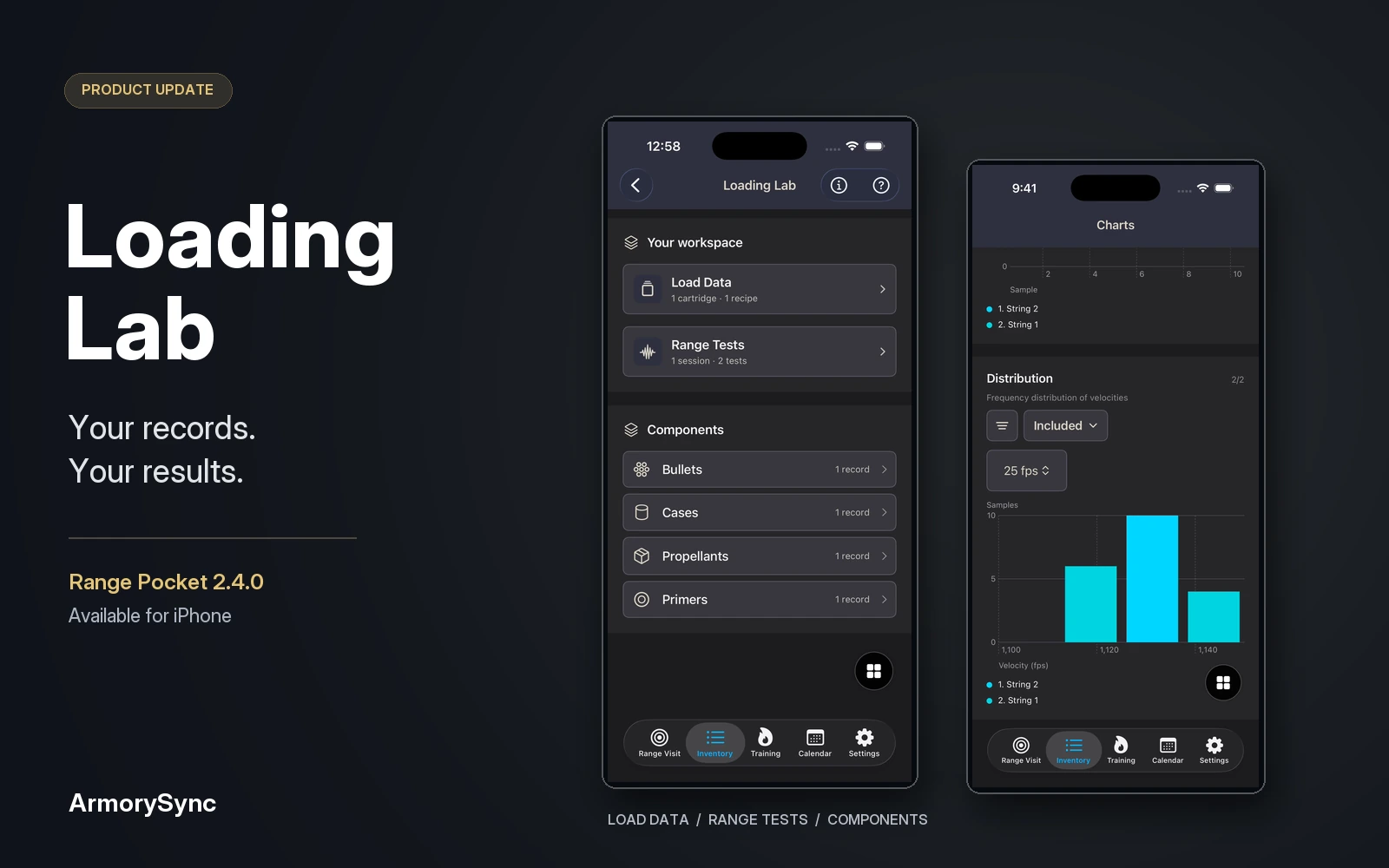
A useful range record needs more than a list of numbers. It needs the session they came from, the components involved, and the notes that explain what you recorded. When those details are spread across a notebook, a spreadsheet, and photos on your phone, reviewing them becomes another task.
Loading Lab is now available in Range Pocket 2.4.0 for iPhone. It brings load records, a component library, and range test results into one workspace, alongside the inventory and range history you already keep in Range Pocket.
Start with an organized library
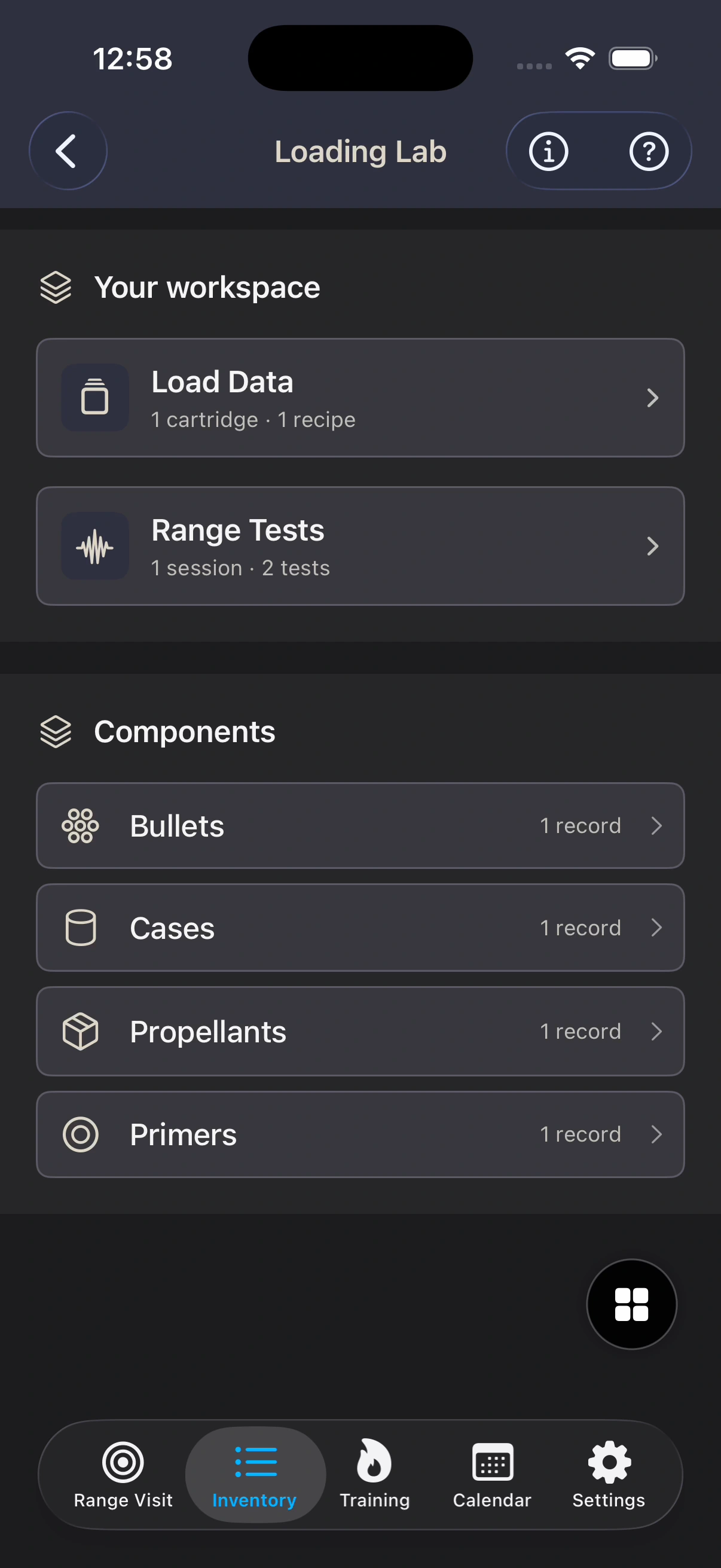
Open Inventory → Ammo → Loading Lab to find two connected areas: Load Data for your cartridges and recipes, and Range Tests for your sessions and recorded results.
The component library has four categories: bullets, cases, propellants, and primers. Save each component as its own record, then select those records when documenting a recipe. Your library gives you a consistent place to return to instead of describing the same item again in separate notes.
In Load Data, organize recipes under their cartridge and retain the reference sources and notes that belong with them. A saved record can carry its source details alongside its component information, so the context is there when you revisit it. Loading Lab is a recordkeeping workspace for the data and references you supply.
Keep the session with the results
Range Tests starts with a session. Record its date, location, conditions, and notes, then keep the individual tests together within that session. Each test can retain the recipe and component details recorded with its results.
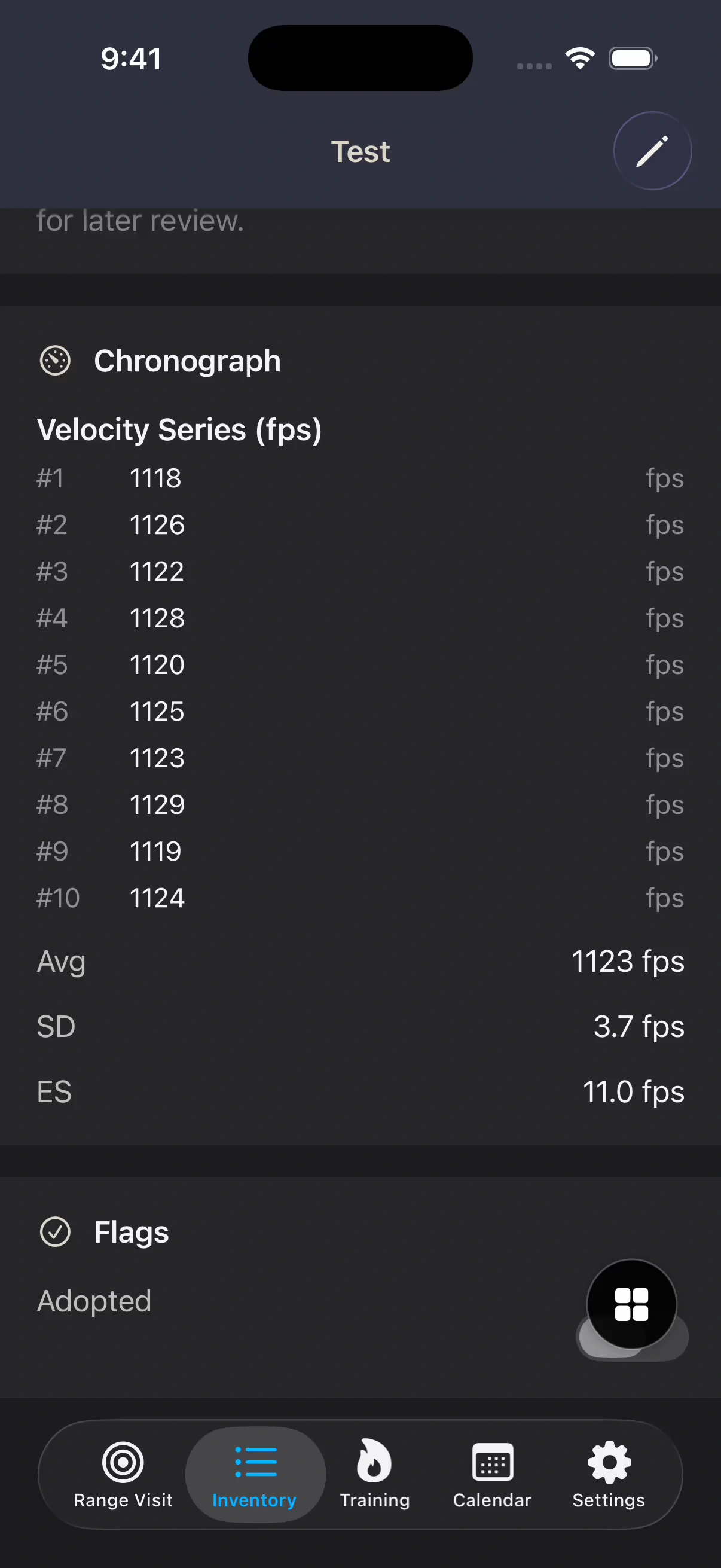
Enter your velocity samples and add observations while the details are still easy to remember. Later, open the saved test to review the individual readings together with their average, standard deviation, and extreme spread. The numbers remain connected to the session instead of becoming an isolated screenshot or an unlabeled row.
You can also return to a recipe to find its related test history. That gives you a path back to the record whether you begin with a range day or with an item in your library.
Review the record visually
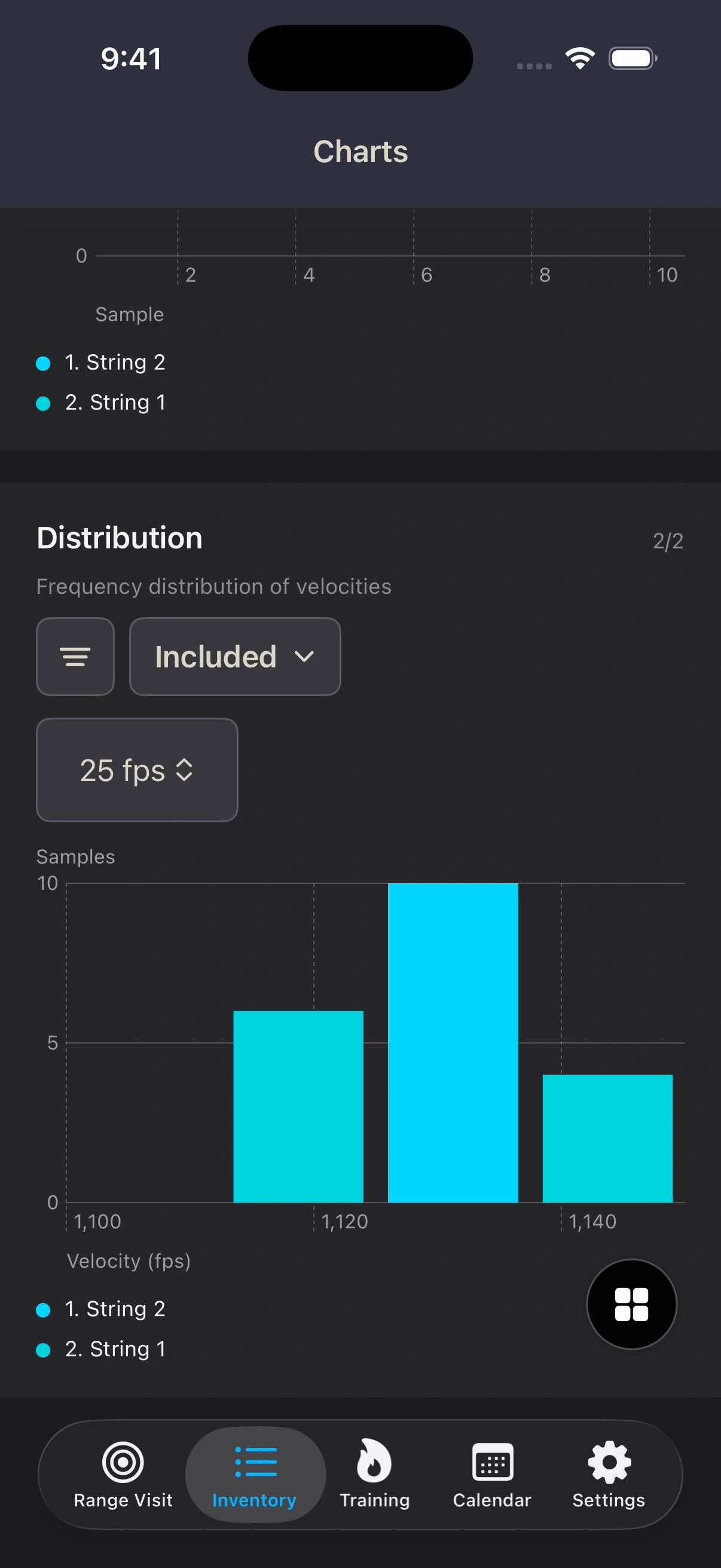
Open Charts from a session to review recorded velocity series and distributions. Choose which tests to include so you can examine the saved results together, with the underlying samples and notes still available in the same session.
Available now for iPhone
Update to Range Pocket 2.4.0 on the App Store, then open Inventory → Ammo → Loading Lab. The built-in guide walks through the library, session, and review areas.
Basic access includes up to two saved records in each Loading Lab category. Existing Premium and Premium Instructor subscriptions remove those limits. Loading Lab does not introduce a separate subscription.