
A pistol practice log is easier to understand when it preserves three things: the standard used, the result actually recorded, and the evidence behind that result. A note that says “passed” loses its meaning if you cannot find the course sheet or tell who assessed it.
This guide explains how to organize those records in Range Pocket for Android and a separate assessment sheet. Keep the requirements supplied by your instructor or event organizer with the record, and record only activity that happened.
The Android screenshots show a reference-only Training plan containing a real public safety-page title and URL. No drills, shooting sessions, or assessments were added for these images.
Give every assessment a source
Start with the name of the course, exercise, or assessment as written on the supplied document. Add the instructor or issuing organization, the document's edition or revision date, and the relevant page or section. Keep a link or a copy you are entitled to retain.
The edition matters. The Civilian Marksmanship Program's rulebook directory lists its 2026 Pistol Competition Rules as the 29th edition and publishes rule changes separately. That is a useful example of a document identity: title, organization, year, and edition. It does not make a personal practice entry an official competition result.
For a locally supplied course sheet, use its actual title and date. If the sheet has no revision information, write “revision not stated.” Your download date tells you when you obtained the document; it does not establish when its requirements changed.
Keep the requirement and result separate
Store the supplied assessment criteria beside the outcome, rather than replacing the criteria with your recollection. Attribute an instructor's assessment to that instructor. Label your own observations as personal notes.
Use clear words in your external sheet or notes:
- Pass: the recorded assessment says the applicable requirement was met.
- Fail: the recorded assessment says it was not met.
- Not assessed: no assessment was made.
- Unknown: the available record does not establish an outcome.
These are suggested recordkeeping labels, not dedicated Android controls. A missing score is not a zero, and an incomplete note is not evidence of a failed assessment. When clarification is needed, leave the uncertainty visible until the instructor or original record resolves it.
Connect the record to the actual visit
Range Pocket's visit holds shared information such as the range, date, time, duration, and optional visit cost. Its detail records hold the firearm, recorded rounds, and activity notes. This lets you keep one visit together while describing its individual entries.
Put a recognizable course or assessment reference in the detail notes, followed by the source and the result you actually have. Android does not provide separate assessment-source, pass/fail, or assessor fields in that form. The notes and a separate sheet preserve those distinctions without suggesting the app has verified them.
Android requires a firearm, a positive round count, and notes before saving a visit detail. Do not enter a nominal round merely to save a classroom observation or dry-practice record. Keep records that do not fit that form in your separate notes or assessment sheet, without adding them to live rounds fired.
Our linked range-logbook guide explains the relationship between visits, details, firearms, and ammunition records.
A plan is not an assessment
Android Training plans have a title and optional description, and can be saved without assigned drills. A description can hold a reference title and URL, such as the official NRA Gun Safety Rules. Saving that reference does not record a course completion or a qualification.
On Android, open Training → Training Plans & Drills → Training Plans, then add a plan. Put the source title in the title field and its publisher, URL, and reference date in the description. The screenshot shows those fields filled with verified public information before saving.
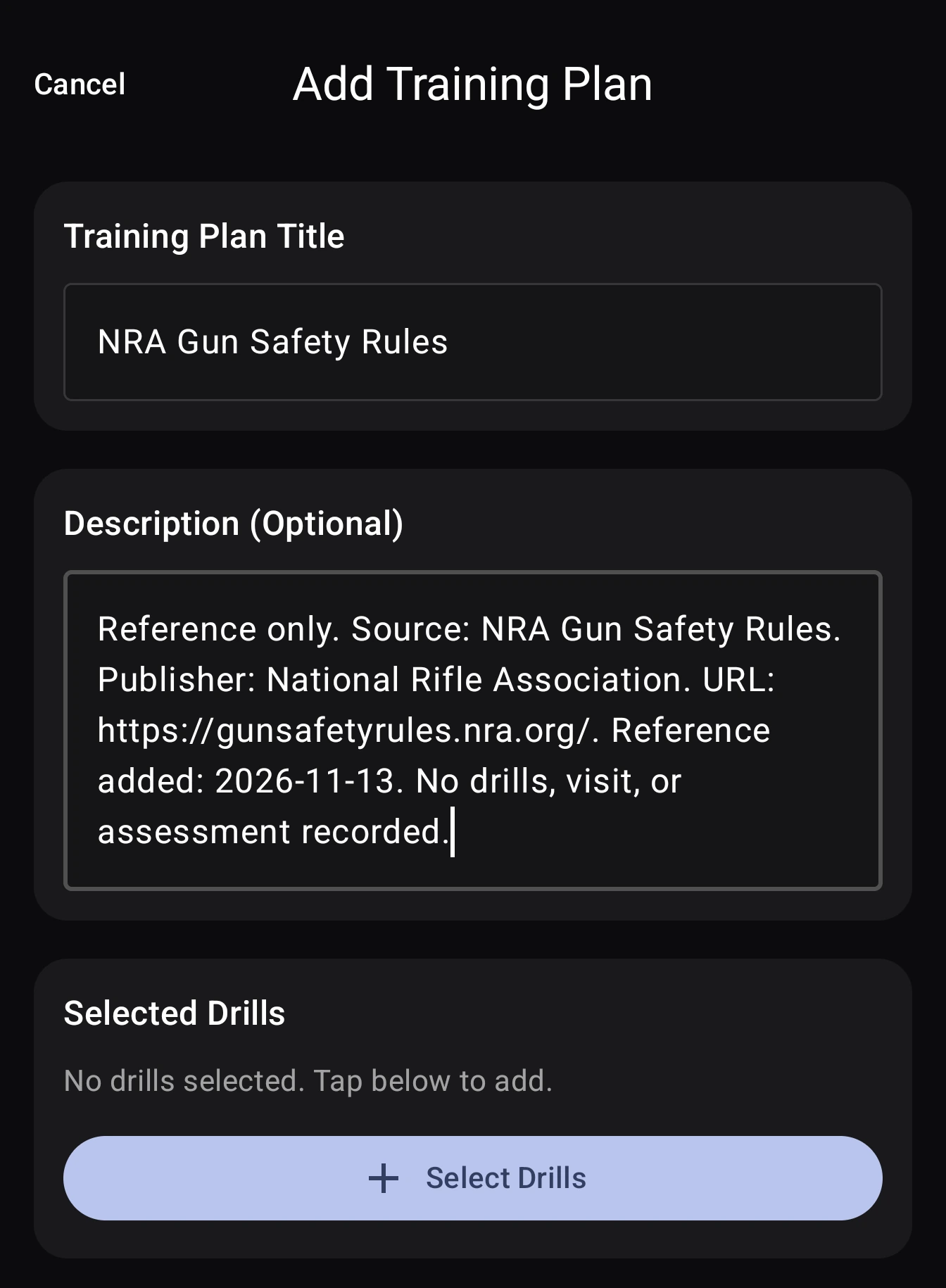
After saving, the plan keeps that reference together. The date in the description is the date this reference record was added, not the publication date of the NRA page.
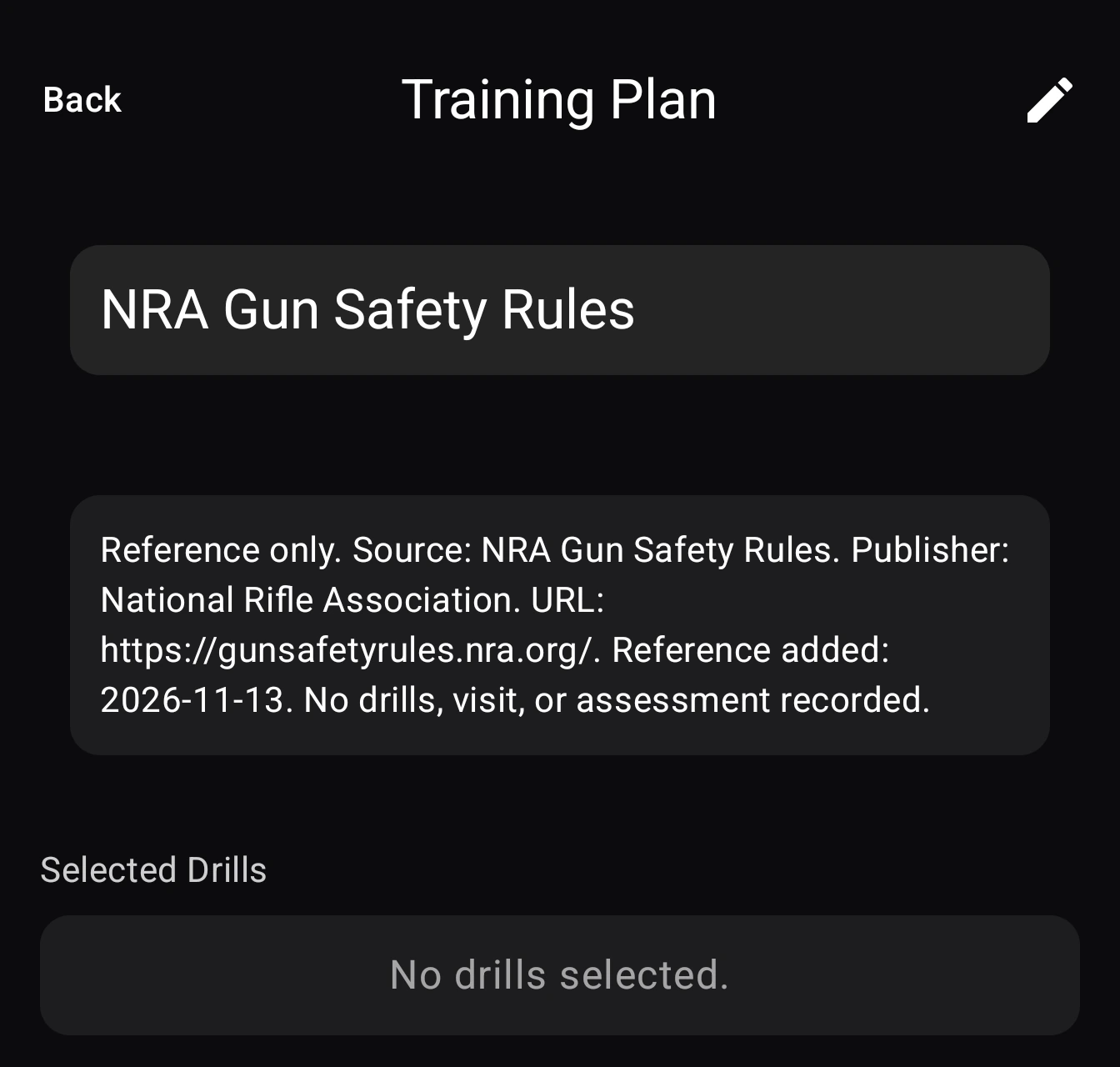
Where a visit includes a training plan, its drill checkboxes record completion. They do not establish a scored pass or fail. Keep any assessment and its source separately identifiable in your notes or sheet.
Keep the original evidence recognizable
A detail can include one target photo; visit photos belong to the visit as a whole. Place each image with the entry it documents, and give external files recognizable names that include the date and your record reference.
Keep an original copy before making annotations. If an instructor supplies a marked sheet, preserve its attribution. Distinguish what is visible on a photo from an explanation added later: a photograph does not establish the cause of an outcome.
Before sharing an image or report, check for other people's names, membership details, contact information, and faces. Share only the material needed for the review. An image can document a personal entry without becoming a public testimonial or a verified qualification.
Correct records without duplicating activity
If the visit date is wrong, correct the visit. If a firearm selection or round count is wrong, correct the original detail. Creating a second entry for the same activity can duplicate recorded rounds. Use a dated note to explain a material correction and retain the source that justified it.
Keep a document revision distinct from a corrected result. If an organizer issues a new course sheet, retain the version associated with the earlier assessment. A later document should not silently replace the record of what was used at the time.
Keep money in its own columns
The Android visit cost is an amount you enter, not an automatic cost per drill or assessment. If you track separate fees or ammunition expenses elsewhere, state what each amount includes. Keep the receipt or calculation behind it.
Download a blank assessment record
Download the blank assessment-record CSV for your own spreadsheet. It starts with headers only; there are no invented scores or completed sessions.
The fields cover record ID, session date, range, instructor or organizer, course or activity, standard source, source version, observed result, assessment status, evidence reference, and notes. Keep the original course sheet alongside it rather than reconstructing its requirements from memory.
This is a standalone spreadsheet template, not a Range Pocket import file. Use the same recognizable reference in your app notes and external files so you can find them together later.
Visit Range Pocket for the app overview and Android and iPhone download links, or read about range visit logging to see how saved visits are organized.