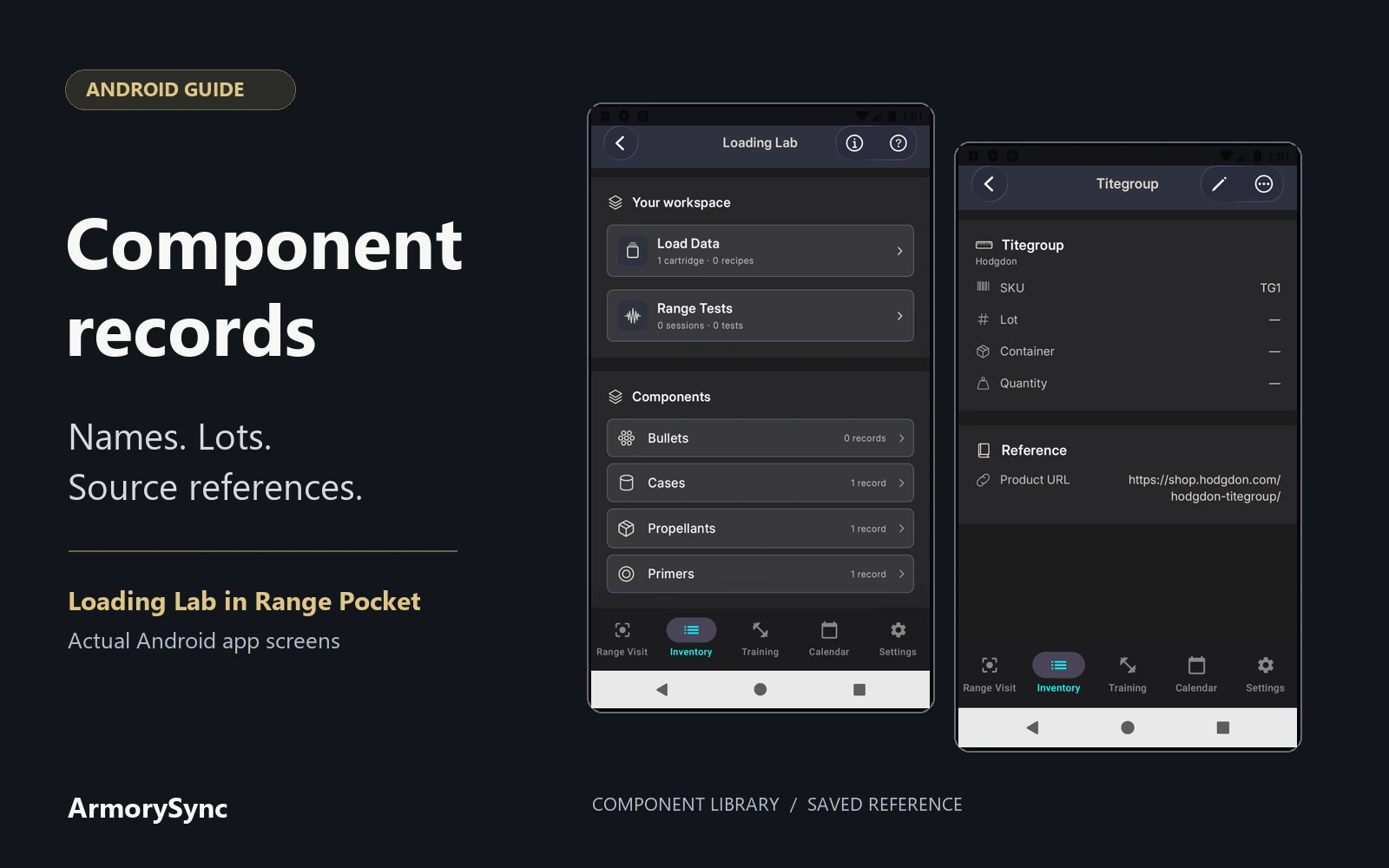
A component name tells you which product you recorded. A lot number adds the production identifier printed on its packaging. Keeping both, alongside a source you can return to, makes a record easier to understand months later.
Loading Lab in Range Pocket brings component details, recipe references, and saved test records into one workspace. The screenshots here show the actual Android app with manufacturer-verified catalog reference data. These reference records do not represent owned inventory: lot numbers, owned quantities, and package notes are blank, and no purchases are implied.
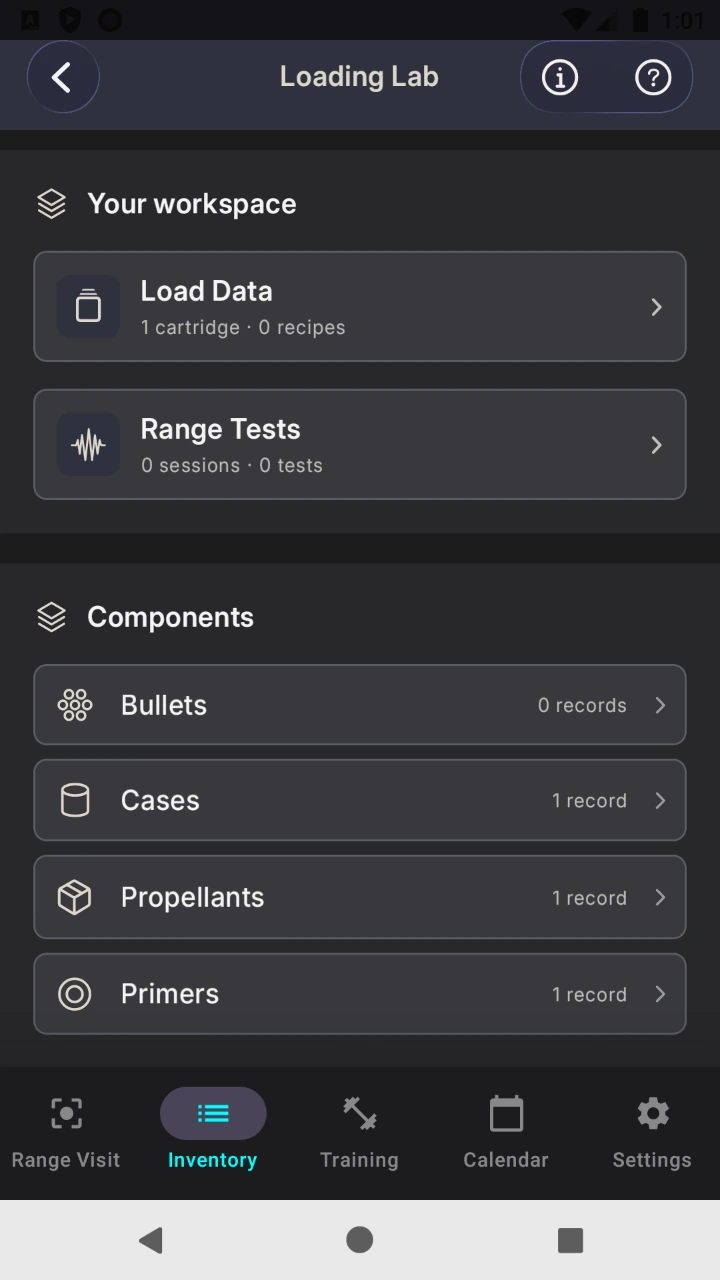
Start with the component library
Open Inventory → Ammo → Loading Lab. The library has separate categories for bullets, cases, propellants, and primers, with fields suited to each category.
A consistent record gives you a place to find the manufacturer's name, product identifier, and source link. You can then select that saved component when documenting a recipe instead of repeatedly typing its description.
Separate the product from its lot
A product name, SKU or part number, and lot number answer different questions. The name identifies the product, the SKU or part number distinguishes its catalog entry, and the lot identifies a production grouping.
A purchase is not necessarily a lot. One purchase can include different lots, while separate purchases can contain the same lot. Keep receipt references and any labels you assign yourself distinct from the manufacturer's printed identifier.
When entering a lot number, preserve its letters and leading zeros. If the printing is unclear, retain that uncertainty rather than guessing. The original packaging information remains useful when you need to check an entry later.
Keep a propellant's catalog details together
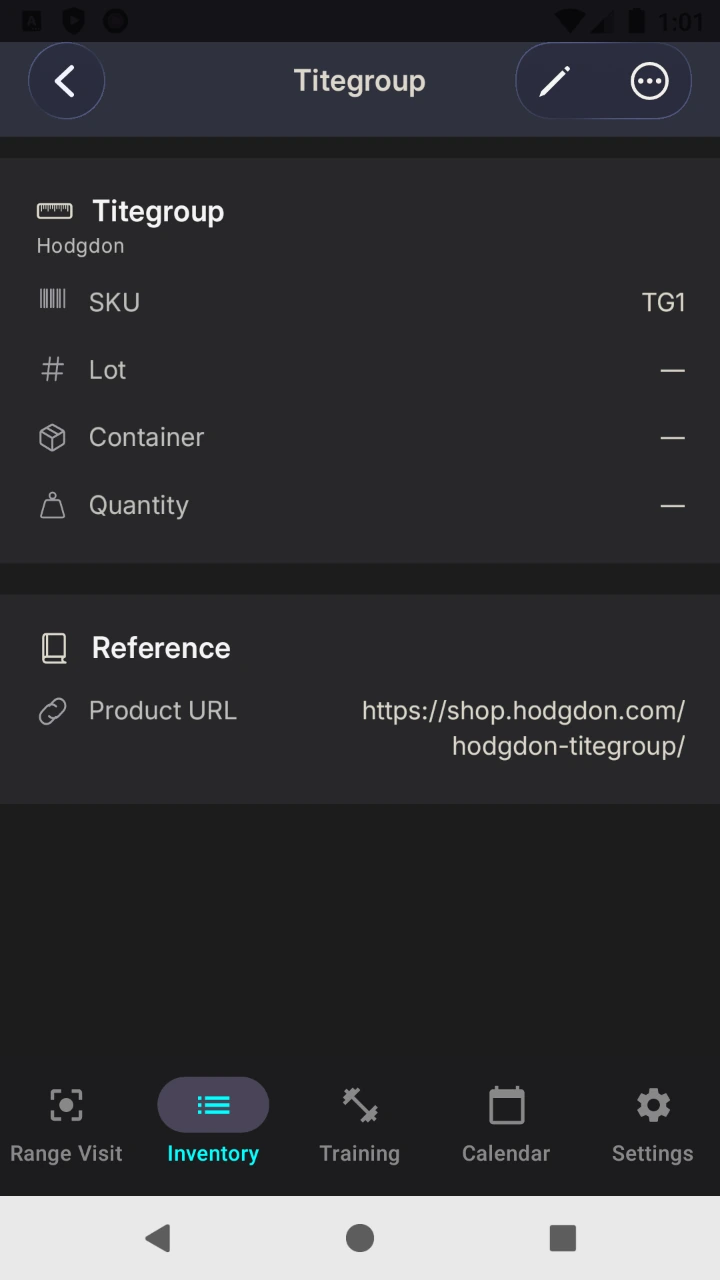
Propellant records include manufacturer, name, SKU, lot number, container note, quantity note, and product URL.
The reference record shown here is Hodgdon Titegroup, with SKU TG1 and a link to the official Hodgdon product page. Those are catalog details. They do not supply a lot number for a particular container, so the lot field is left blank.
The container and quantity notes accept free text. They can preserve written context, but a quantity note is not a calculated stock balance. Saving another record does not automatically deduct a quantity from it.
Give primers the same clear identifiers
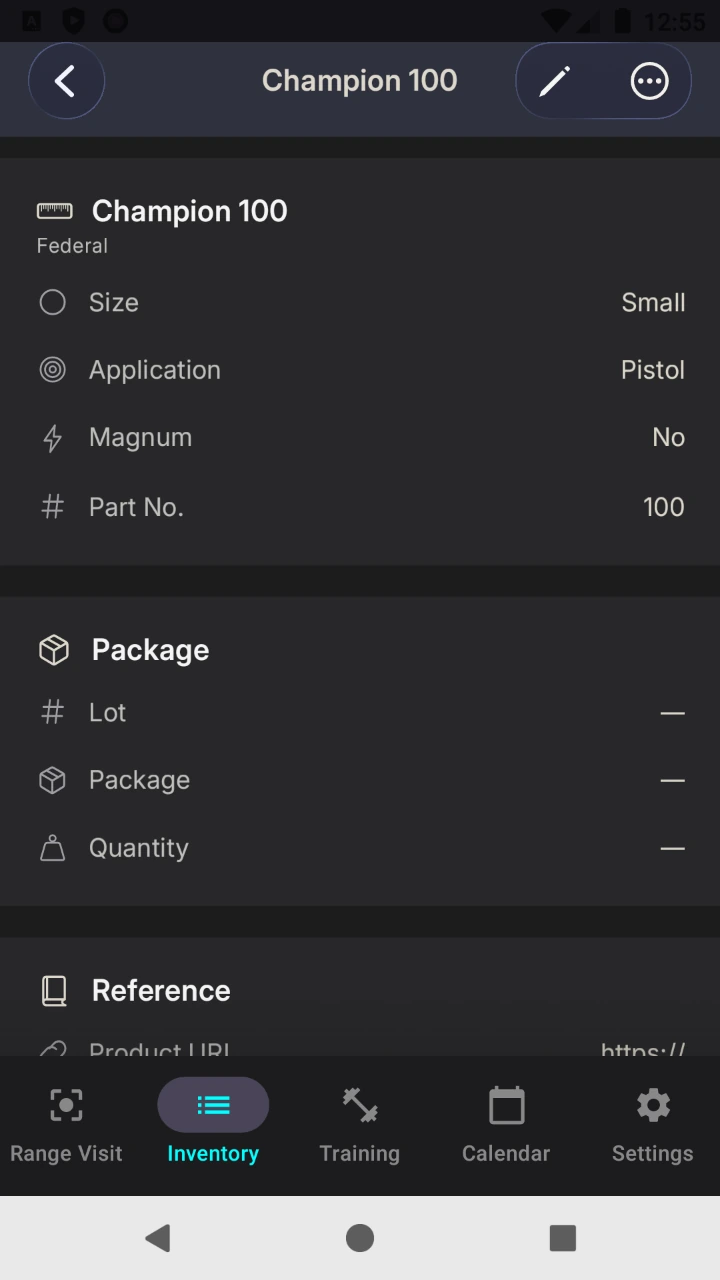
Primer records include manufacturer, name, type, part number, lot number, package note, quantity note, and product URL.
The Android record shown below uses Federal Champion 100, with part number 100. Federal lists it as Champion Centerfire Primer Small Pistol.
Keeping the part number and lot number in their respective fields also makes the record easier to read. A catalog identifier can be verified from a product page; a package's lot identifier needs its own source.
Know where case and bullet details belong
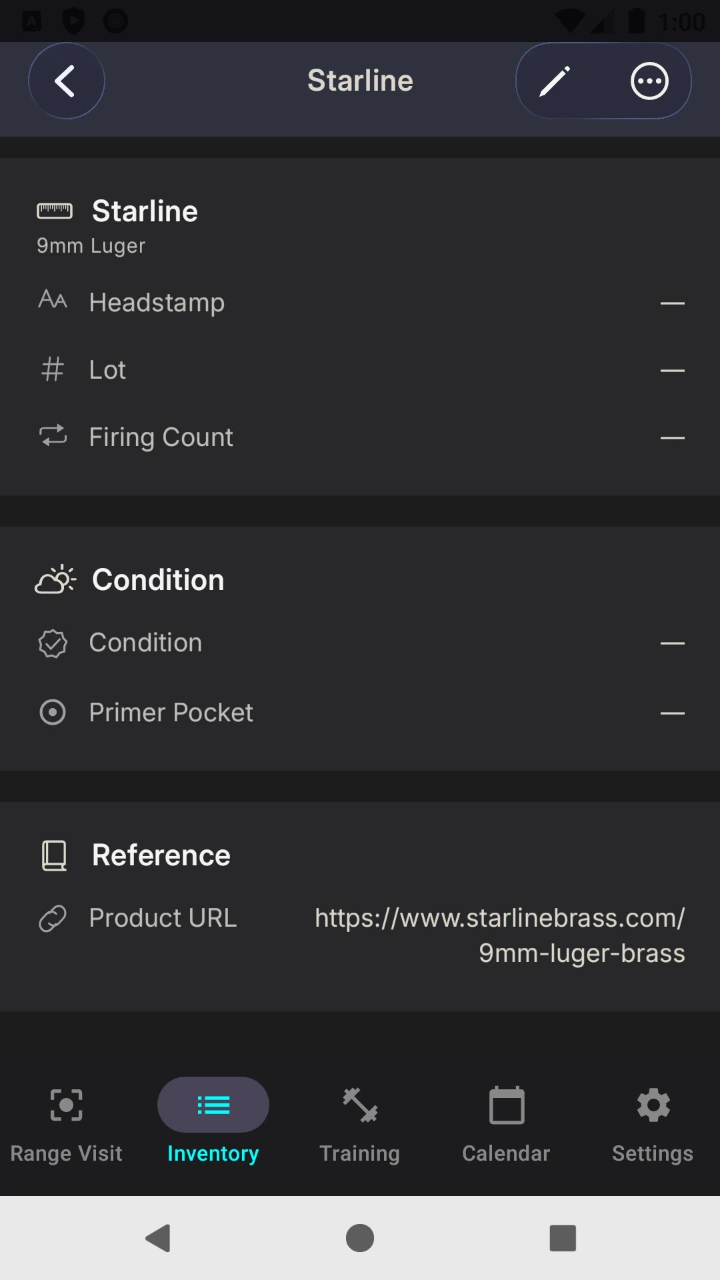
Case records include brand, cartridge, headstamp, lot number, firing count, condition note, and product URL. Firing counts and condition notes preserve observations you enter; they do not provide a service-life recommendation.
The shown reference uses Starline and 9mm Luger, linked to Starline's official product page. Headstamp, lot, firing count, and condition are blank because no physical package or usage history was supplied.
Bullet records include brand, part number, and product URL. They do not have a dedicated component lot field. The recipe record provides an optional bullet lot field alongside the other component lot fields.
Carry references into saved records
A recipe record can link all four component types and retain four optional lot values, plus source information. Review the selected components and the entered lots together: a familiar product name alone does not identify a production lot.
Saved tests retain snapshots of component names and lot numbers. Those snapshots preserve recorded context, but they are not a complete purchase or inventory history. Loading Lab does not automatically trace a component to every finished ammunition box, calculate component costs, or issue reorder alerts.
For a recall lookup, consult the current manufacturer notice. Hodgdon's warnings and recalls page lists affected products and lots. Compare the original identifiers with the notice and contact the manufacturer about unclear information. A record lookup does not itself establish product safety.
Explore the Loading Lab feature page for the wider workspace, or see pricing and free record allowances before building your library.