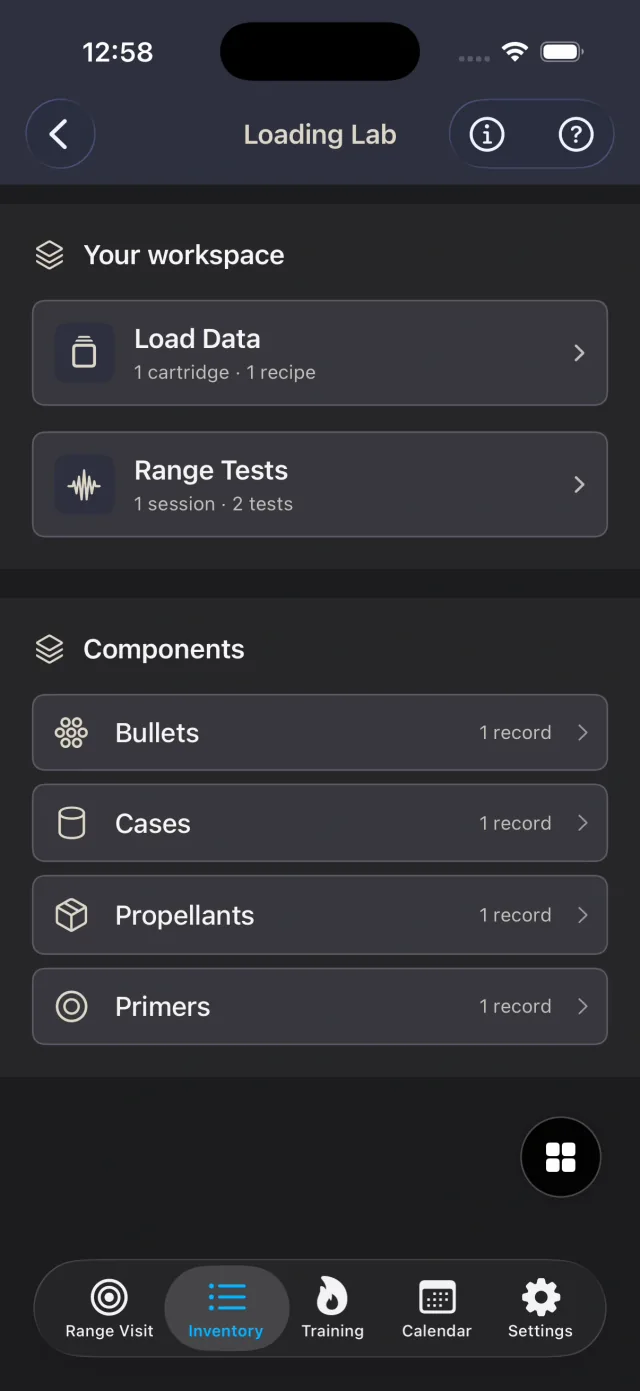
Organize cartridges and recipes alongside your bullet, case, propellant, and primer library. Keep source references and notes with the records you enter.
Loading Lab
Keep reloading records and range tests together.
Save the component details and source references you enter, connect them to a recipe, and keep range-test notes and velocity samples with the session they came from.
Save range-test sessions and individual tests. Add entered velocity samples, then review averages, sample standard deviation, extreme spread, and comparison charts.
Start free with two saved records in each Loading Lab category. Premium and Premium Instructor remove those record limits without a separate Loading Lab subscription.
In the app
From a reference to a saved test
Build your component library
Open Inventory → Ammo → Loading Lab. Save cartridge, bullet, case, propellant, and primer records so the details are available when you document a recipe.
Keep the source with the recipe
Select your saved components and enter the recipe details, reference source, and notes. Loading Lab organizes the information you supply; it does not generate or validate load recommendations.
Record a range-test session
Save the session date and optional location, conditions, and notes. Add tests linked to saved recipes, then enter your measured velocity samples and observations.
Review the recorded results
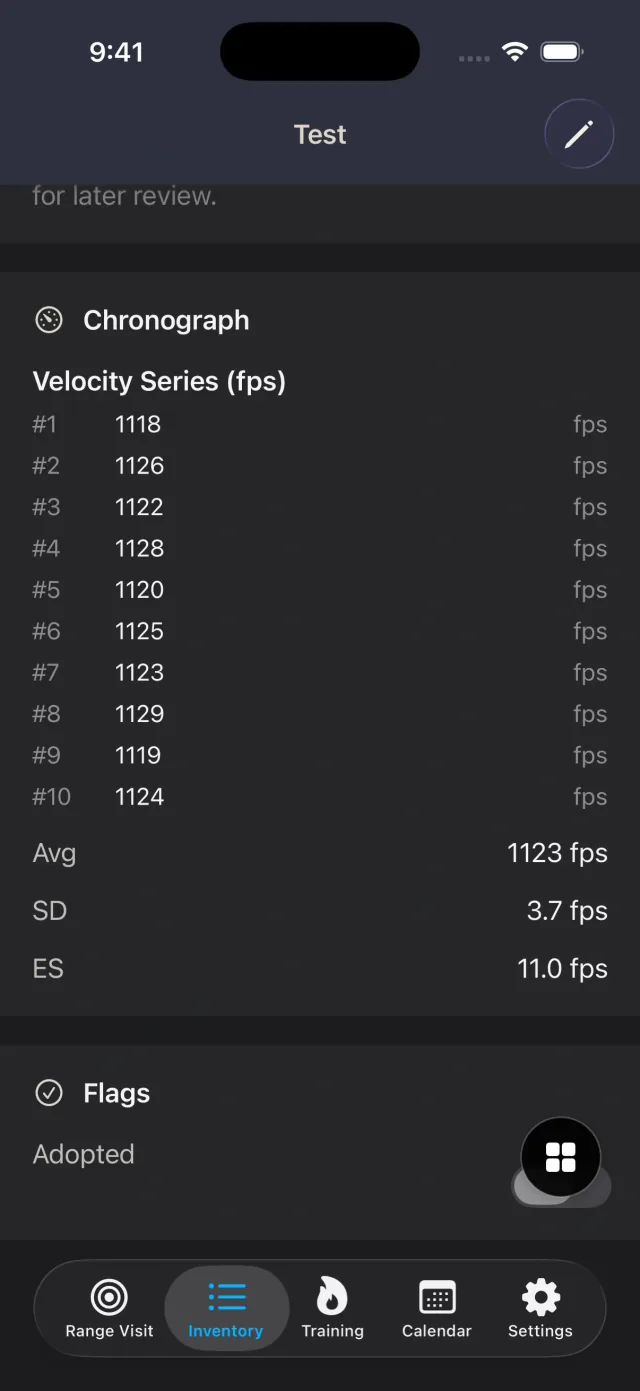
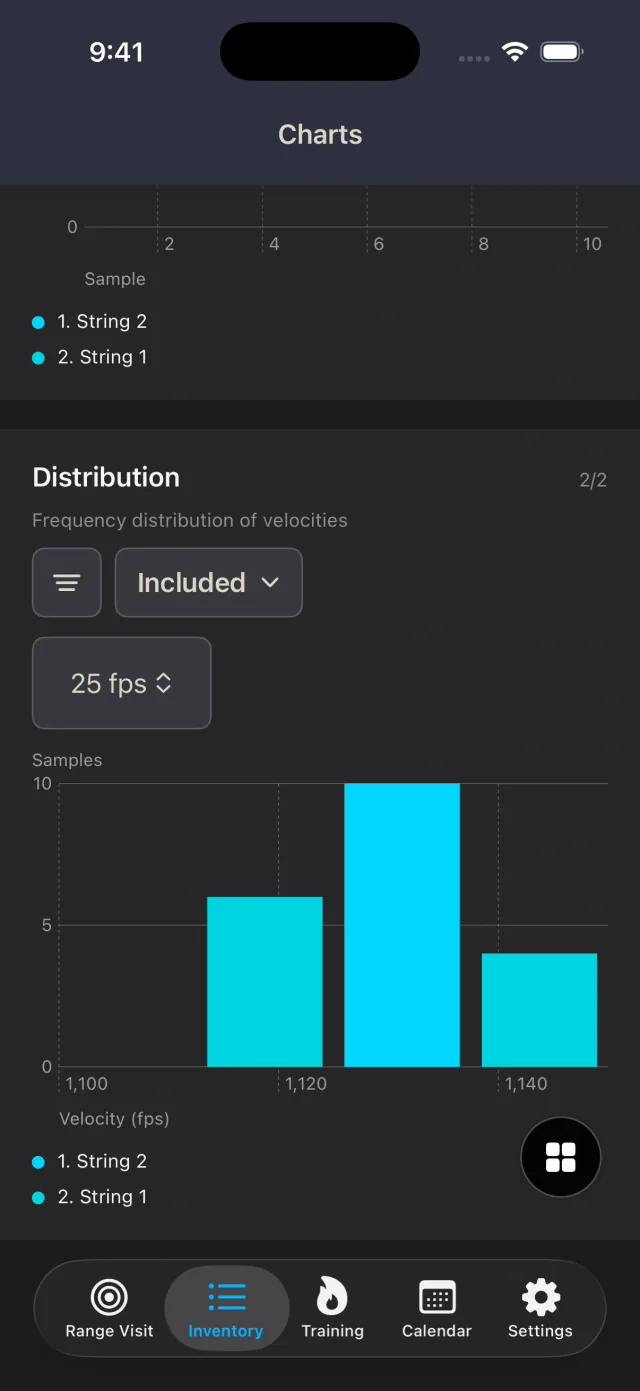
Open a test for its readings, average, sample standard deviation, and extreme spread. Select tests in Charts to compare recorded velocity series and distributions.
Real App Screens
Review your entered readings and their statistics
Common Questions
Loading Lab FAQ
Which Loading Lab records can I save for free?
The free allowance is two saved records in each of eight categories: cartridges, bullets, cases, propellants, primers, recipes, sessions, and tests. Each category has its own allowance, separate from ammunition inventory. Recipe and test counts include records across all cartridges and sessions. Premium and Premium Instructor remove these limits.
Does Loading Lab recommend loads or measure velocity?
No. Loading Lab keeps the records, references, and measured velocity samples you enter. Its statistics and charts summarize those samples; they do not provide load recommendations, validate a recipe, or measure velocity automatically.
Can I keep editing records after reaching the free allowance?
Yes. The allowance limits new records in each category. You can still view, edit, and delete existing Loading Lab records, and enter velocity samples for saved tests.