
Inventory, range logs, notes, photos, and maintenance details stay organized around the items and sessions they belong to.
Range Pocket · Firearm Maintenance Tracker
Keep a maintenance history you can review.
Remember what was recorded, when it happened, and which firearm it belongs to. Range Pocket keeps dated maintenance notes, service costs, recorded usage, and reminders alongside your inventory and range visits.
Available for iPhone and Android. Compare platforms and record storage.
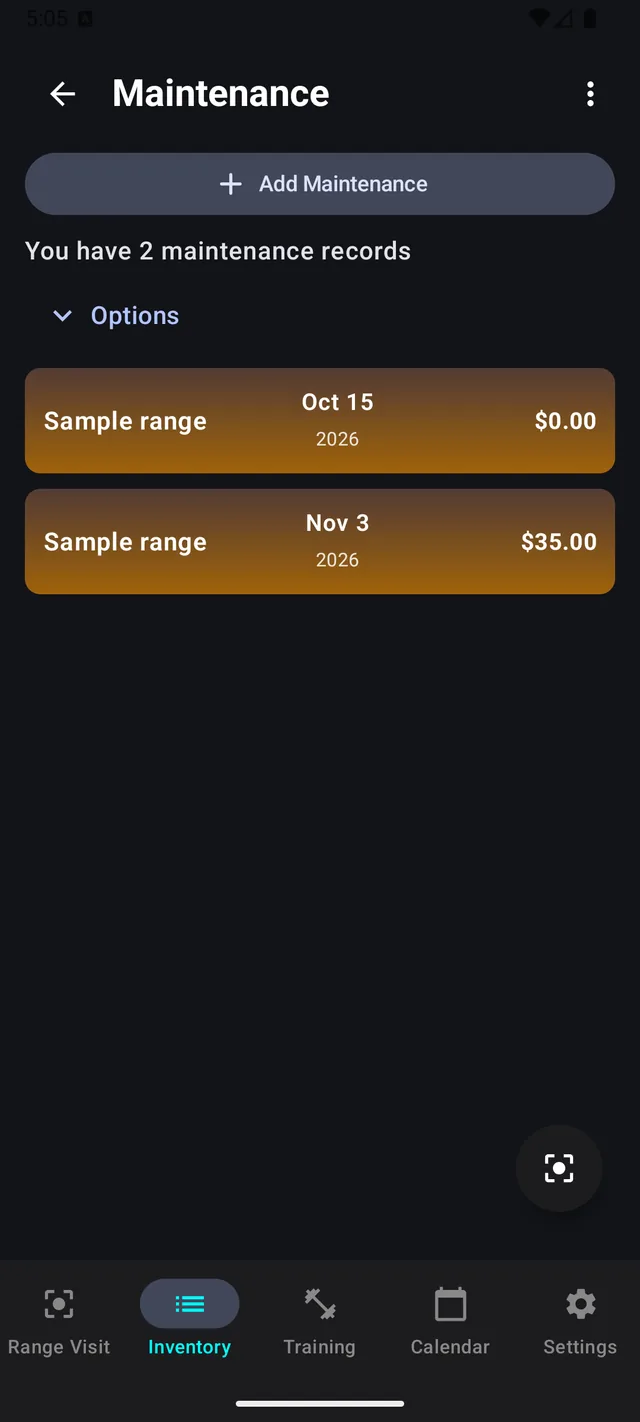
A worked example
A maintenance entry with a clear follow-up
This fictional example keeps the completed record separate from a future reminder. It demonstrates record organization, not instructions for servicing a firearm.
- Firearm
- Sample range pistol
- Completed record
- November 3, 2026 · Service visit recorded
- Cost
- $35 in this fictional example
- Note
- Date, notes, and service cost kept together.
- Usage context
- 125 recorded rounds from two later sample visits; earlier usage is unknown.
- Follow-up
- November 21, 2026 · Review maintenance notes
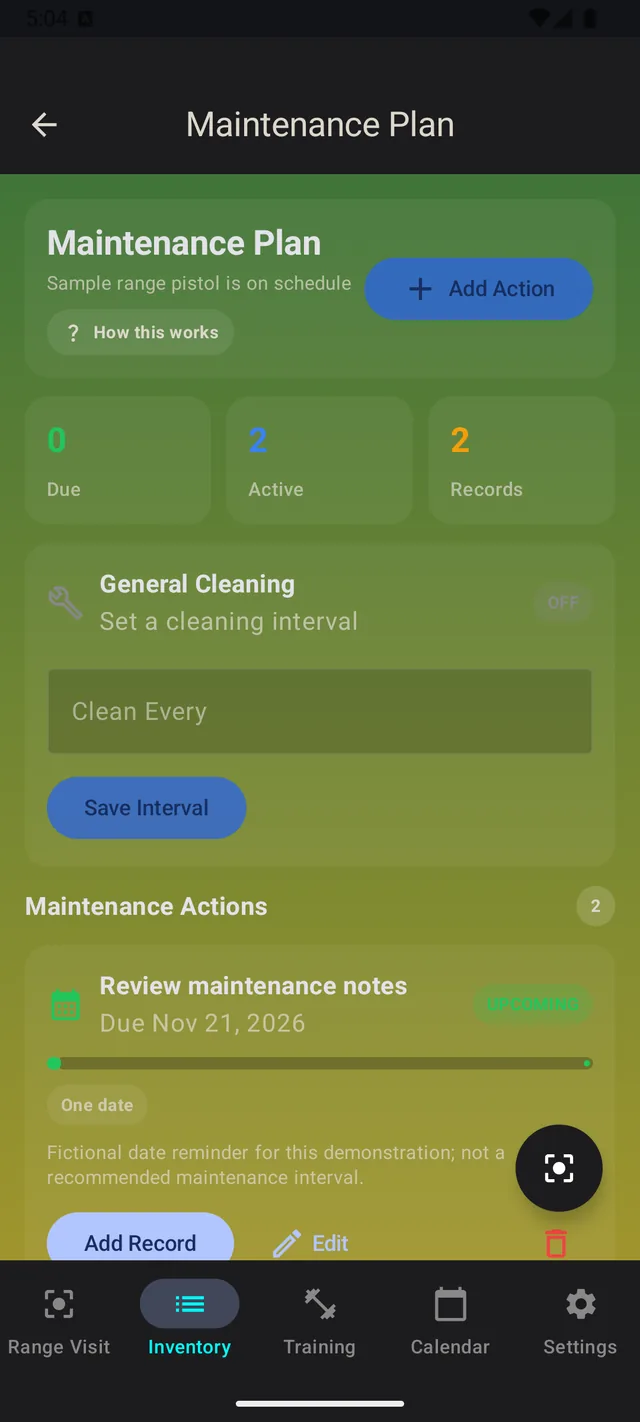
A reminder says what you plan to review; a dated entry says what you recorded as completed. Keep that distinction clear so a scheduled task does not get mistaken for a service history. Follow the manufacturer's guidance for actual maintenance requirements.
A practical maintenance record workflow
1. Choose the firearm
Open the relevant item before adding a maintenance record. This keeps its notes and dates separate from similar equipment in your inventory.
2. Record the completed work
Enter the date, a short factual note, and any service cost. Preserve useful supporting details so you can understand the entry later without relying on memory.
3. Set and review follow-ups
Use a reminder for your chosen review date, then consult the history and recorded usage when it comes due. Logging a reminder does not establish a safe service interval or certify equipment condition.
Built for real records
Built for firearm owners who want useful records without a heavy workflow.
Read the FAQAdd enough structure to be useful later without turning ownership or range days into admin work.
Firearms, accessories, round counts, photos, and visits stay connected so history is easier to understand.
Product questions and setup feedback have a direct support email instead of leaving owners guessing.
Questions about these records
What belongs in a firearm maintenance log?
Keep the firearm identity, date, a factual description of completed work, and any service cost or supporting notes. Record future tasks as reminders rather than completed work. Use the manufacturer's instructions for maintenance requirements.
Does the app calculate a firearm's lifetime round count?
Range Pocket can connect recorded range use to a firearm. Its recorded total depends on the entries you have made; it cannot reconstruct earlier or unlogged use. Keep incomplete history labelled as such.
Are the dates shown a recommended maintenance schedule?
No. The screenshots and example use fictional records and review dates to demonstrate the app. They are not maintenance intervals or an assessment of equipment condition.
Where are personal records kept?
Personal firearm, ammunition, range-visit, and training records are stored on your device. Exporting, sharing, transferring, or submitting information to a connected feature can create a copy elsewhere. Shared competition data uses online services; device backups depend on your operating-system settings.
Range Pocket for iPhone and Android
Keep your next maintenance record easy to find.
Download Range Pocket to keep dated notes, service costs, and your own follow-up reminders with the firearm they belong to.
Questions before downloading? Contact product support.